SAKIDORI AGENT
SAKIDORI AGENT

SAKIDORI AGENT — your AI agent

Ask a question. Find the answer.

SAKIDORI AGENT finds the information you need in chats, reports, and records, and answers clearly.

Supported servicesLINEChatworkSlackDiscord
One workspace for your conversations
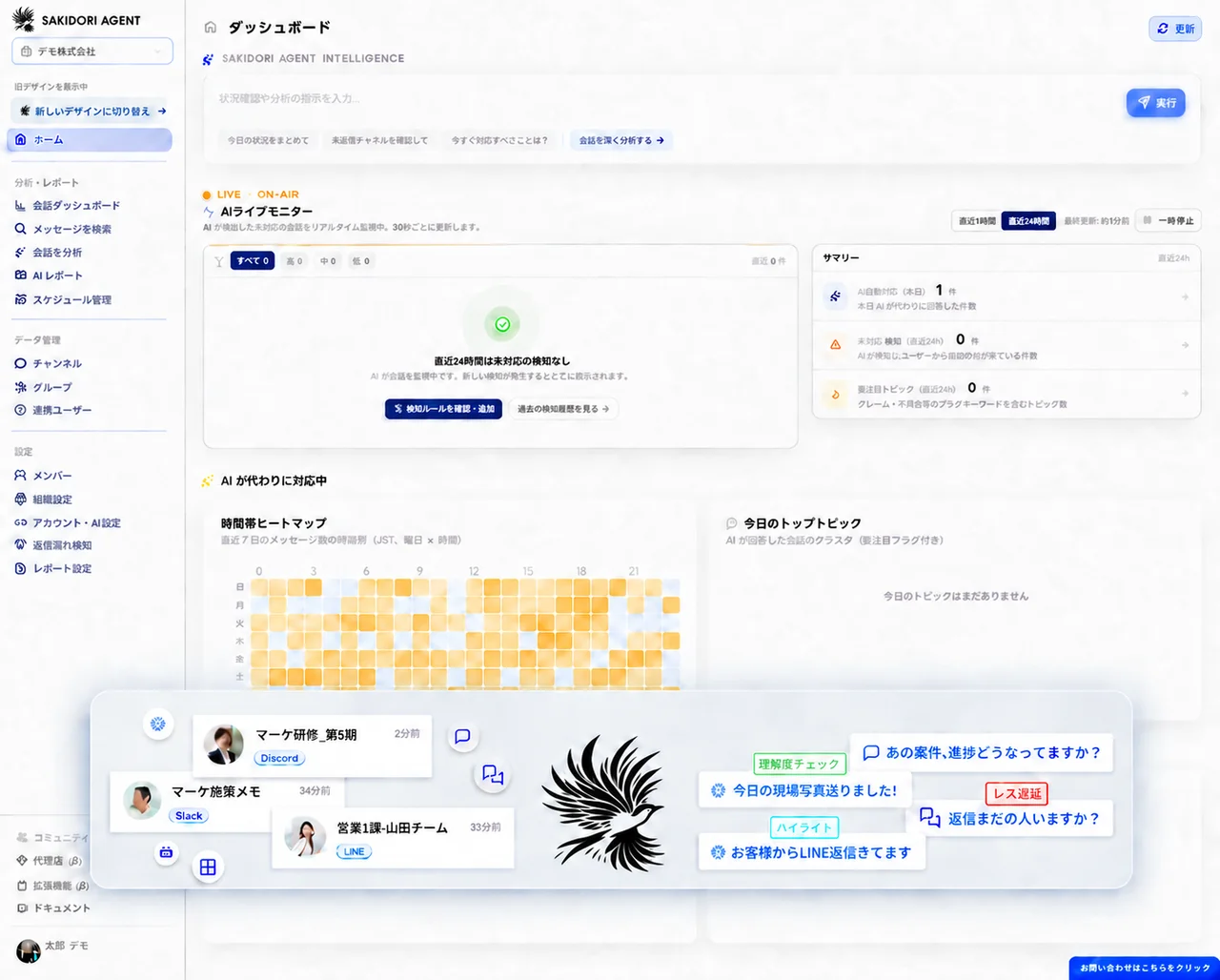
SAKIDORI AGENT workspace bringing together conversations from multiple communication services

The challenge

When internal discussions and customer conversations are disconnected, it's hard to see where work stands

Information is scattered across chats, emails, meetings, and people's memories, leaving internal decisions disconnected from promises to customers. Every status check or report requires gathering the information again. Details get lost during handoffs, and customers wait longer for their requests to be handled.

  1. The conversation you need is hard to find

    The information exists, but you do not know whether it is in a chat, email, or report. You start by searching multiple threads and rereading past conversations.

    Where can I find our conversation with Company A?

    I'll check the chats and emails.

    Searching across conversations
  2. Status checks and reports take time, every time

    Updates are scattered among the people handling the work, making it hard to see the full picture. For every meeting or daily or weekly report, you have to reread chats, check with those involved, and compile updates manually.

    Are there any cases where progress has stalled this week?

    I'll check with everyone and report back.

    Weekly report · Compiling manually
  3. Promises to customers get overlooked

    Promises to customers and messages awaiting a reply get buried in separate conversations, making unfinished work hard to spot. By the time a customer follows up, they've already been waiting.

    Do you have an update on my earlier request?

    I missed that. I'm sorry.

    Customer follow-up · 3 days after the first message
  4. Context gets lost when someone else takes over

    The reasons behind decisions and customers' requests stay buried in conversations instead of reaching the person taking over. That person has to repeat earlier checks, and customers have to explain things again.

    I already explained this to the person I was working with before.

    I'll check what was handed off to me. Could you explain that again?

    Someone new takes over · Customer repeats their explanation

HOW SAKIDORI AGENT HELPS

Collect conversations. Understand them. Take the next step.

SAKIDORI AGENT brings scattered conversations into one workspace so you can search them, review conversations that may need a reply, analyze activity, create reports, and ask AI questions.

Go beyond storing conversations to see what is happening now and what needs your attention next.

SAKIDORI AGENT workspace combining conversations from LINE, Chatwork, Slack, and Discord

COLLECT & FIND

All your conversations and their context, in one place.

Bring conversations from LINE, Chatwork, Slack, and Discord into one workspace. Search past conversations and customer requests to reduce the work of piecing together context when someone else takes over.

  • Collect conversations
  • Find the context
  • Support handoffs
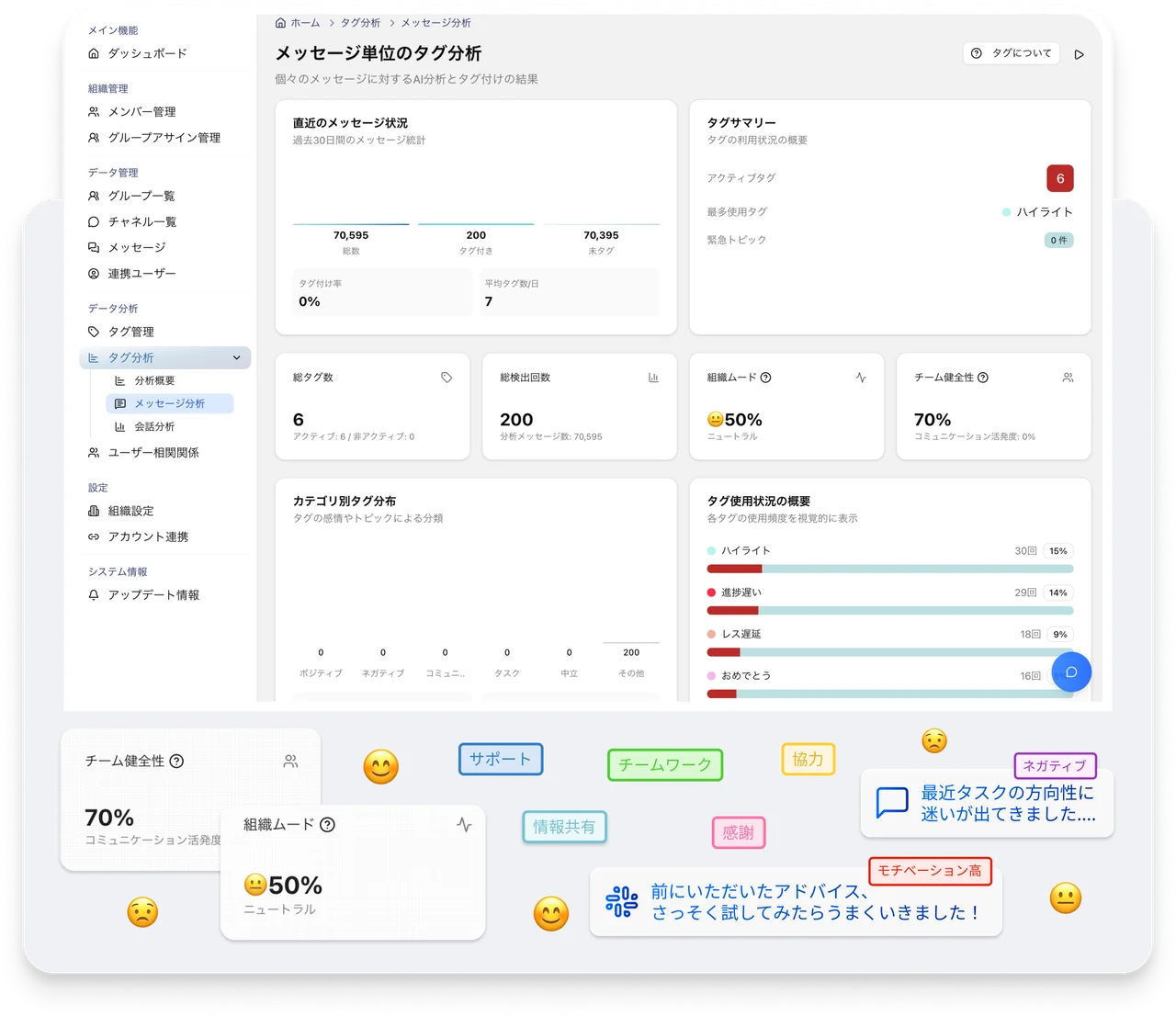
SAKIDORI AGENT screen for analyzing conversation tags and reviewing team activity

DETECT & REPORT

Spot important changes and share them in reports.

Flag conversations that may be awaiting a reply for review, and create daily and weekly reports from collected conversations. See changes in team activity more easily and spend less time checking status and compiling information manually.

  • Review changes
  • Check conversations awaiting a reply
  • Share through reports
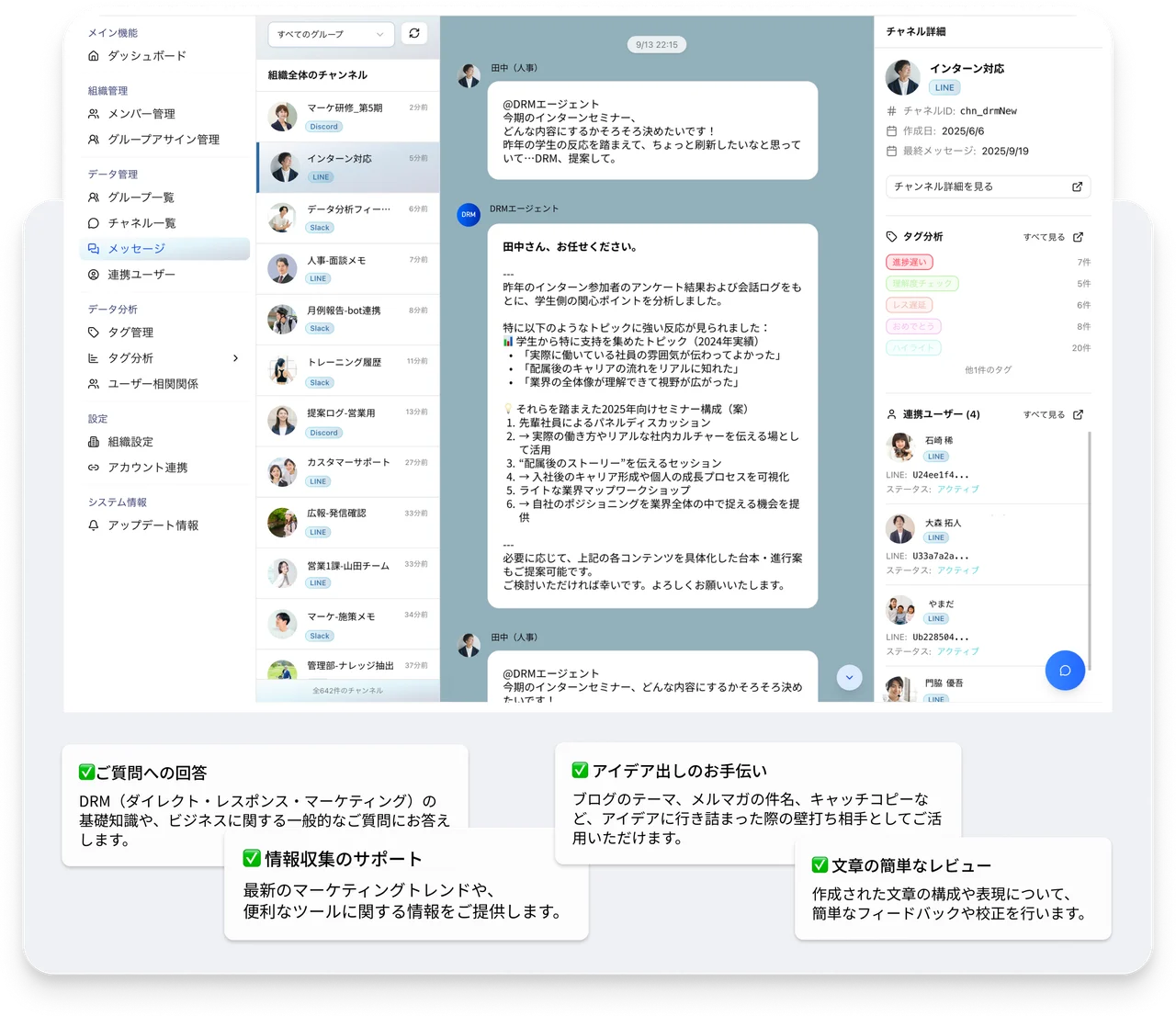
SAKIDORI AGENT screen for asking AI about stored conversations and reviewing answers

ASK & ACT

Ask what you need to know before reading everything again.

Search across stored history and ask AI what happened without reading every message. Find the conversations behind an answer and decide what to check next.

  • Search across conversation history
  • Ask AI
  • Decide the next step

HOW IT CONNECTS

Connect your conversations to other AI tools

SAKIDORI AGENT brings your everyday conversations together so you can use them with external AI tools when needed.

  • LINE
  • Chatwork
  • Slack
  • Discord

SAKIDORI AGENT

MCP

  • Claude
  • Cursor
  • Notion
  • Gemini

Connect conversations collected in SAKIDORI AGENT to external AI tools when needed.

How SAKIDORI AGENT works

From collecting conversations to putting them to work

Import conversations from connected accounts, then search and analyze them in SAKIDORI AGENT. Extend their use to reports, AI replies, and MCP-compatible clients as needed.

  1. 01

    Import conversations

    Import conversations from selected rooms in your connected LINE, Chatwork, Slack, and Discord accounts into SAKIDORI AGENT.

  2. 02

    Collect and organize

    Bring imported messages into one workspace where you can filter search results by platform, channel, and user.

  3. 03

    Search and analyze

    Search conversations in SAKIDORI AGENT, ask AI questions, run analysis, and review conversations that may be awaiting a reply.

  4. 04

    Report and respond

    Create regular reports from collected conversations and, when needed, use AI replies that follow your instructions in authorized rooms.

  5. 05

    Extend to external AI with MCP

    OPTIONAL FEATURE

    Enable the optional MCP integration when needed to use SAKIDORI AGENT's search, retrieval, and sending tools from supported AI clients within the permitted scope.

MCP integration and automatic AI replies are optional. Choose only the features your workflow needs and configure the appropriate permissions.

Seminars

Learn to manage conversations with AI

Learn how your team can collect and review conversations across services and use them in daily operations.

NEXT SESSION

We're getting the next session ready

Dates will be announced on the seminars page once confirmed. Contact us if you would like to hear about the next session.

Frequently asked questions

  • What is SAKIDORI AGENT?

    SAKIDORI AGENT brings conversations from connected LINE, Chatwork, Slack, and Discord accounts into one workspace, supporting history search, AI analysis, reporting, and replies.

  • Which services can I connect?

    SAKIDORI AGENT supports LINE, Chatwork, Slack, and Discord. What it can retrieve and send varies by platform, so check what's supported for the platforms you plan to use before entering into a contract.

  • Is it just a chatbot?

    No. Automatic replies are one feature. The service also collects, searches, and analyzes conversation history, detects conversations that may be awaiting a reply, and creates scheduled reports.

  • Does the AI reply without review?

    Automatic replies follow your configured instructions, and you choose where to enable them. Check the target rooms and instructions before enabling replies for customer conversations.

  • How do I get started?

    Contact us with the services you use, the approximate number of rooms, and what you want to check. We will provide written information about the supported scope and current terms.

Next steps

Start with a conversation.

Tell us which services you use and what you would like to know. We will explain what we can support.