
SAKIDORI AGENT
SAKIDORI AGENT
Features — a walkthrough

Conversations scattered across four apps.The one you need is hard to find.

SAKIDORI AGENT collects conversations from your connected LINE, Chatwork, Slack, and Discord accounts. Use them for search, analysis, missed-reply detection, and scheduled reporting.

Services
4
Features
12
Workspace
1
  • LINE

    Do you have an update on my earlier request?

  • Chatwork

    Where can I find our conversation with Company A?

  • Slack

    Are there any cases where progress has stalled this week?

  • Discord

    I already explained this to the person I was working with before.

Conversations from four services in one place

How SAKIDORI AGENT fits into your workday

01Collect

First, bring everything into one place.

Connect your accounts to see LINE, Chatwork, Slack, and Discord conversations on the same screen. No need to reopen each app in turn.
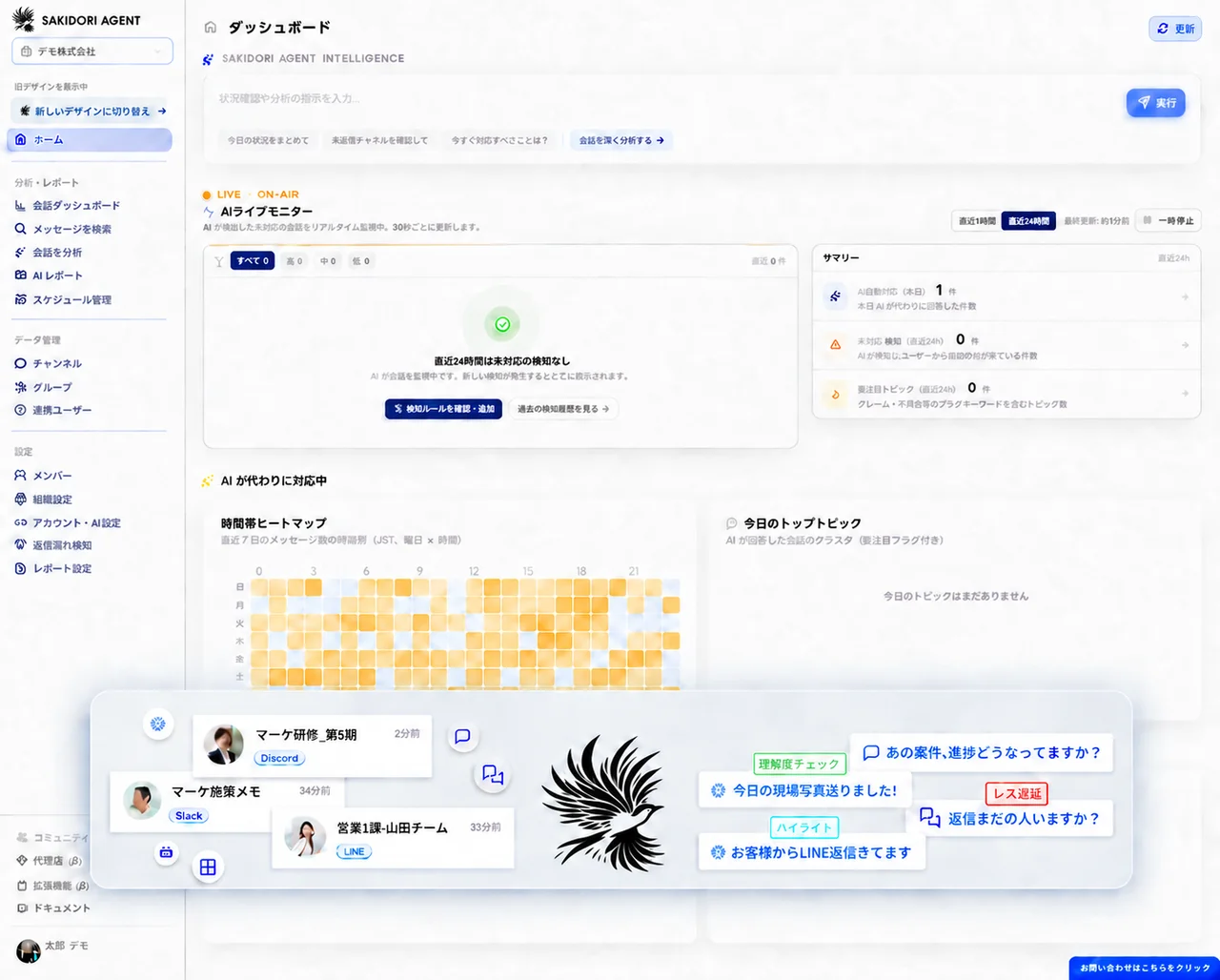
SAKIDORI AGENT bringing LINE, Chatwork, Slack, and Discord conversations into one workspace
Features 01
Conversations in one place — Connect your LINE, Chatwork, Slack, and Discord accounts, and SAKIDORI AGENT brings the conversations into one workspace.
Usage notes
Collection is limited to connected accounts, channels, and rooms, subject to the permissions allowed by each platform.
Features 02
Message search and filtering — Search collected messages and filter results by platform, channel, or sender.
Usage notes
Search covers conversations already collected in the workspace.
02Ask

Ask a question instead of reading everything again.

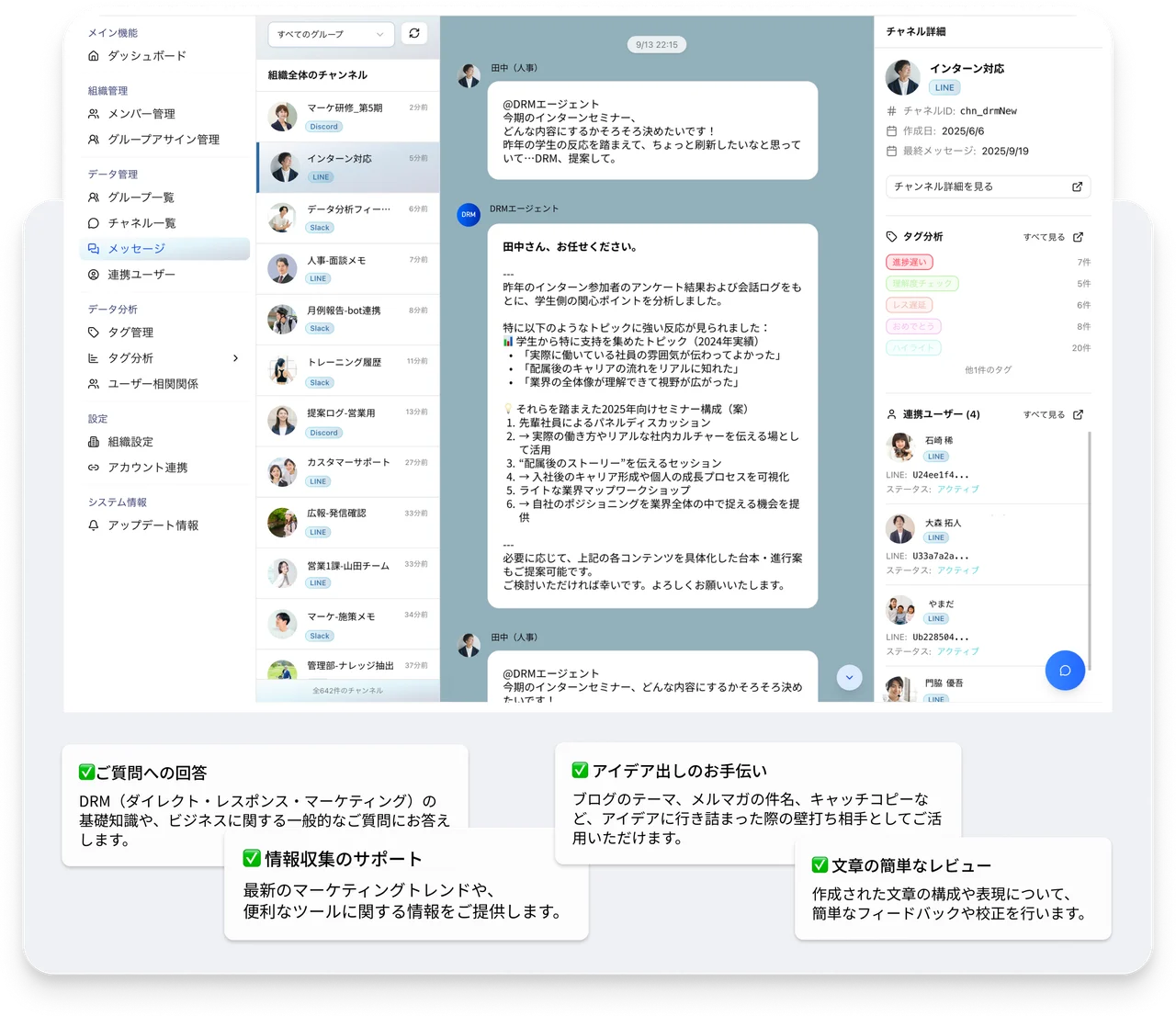
Ask for an update and get an answer based on collected conversations. You can also analyze images and voice notes and set rules for responses.

Asking SAKIDORI AGENT's AI about conversations and receiving an answer based on collected messages
Features 03
AI conversation analysis — AI summarizes collected conversations and answers questions about them.
Usage notes
Analysis is based on collected conversations and consumes credits.
Features 09
Image, audio, and voice message analysis — Analyze media shared in connected rooms alongside text.
Usage notes
Media analysis consumes more credits than text analysis, with usage varying by file size.
Features 10
Custom AI instructions — Set instructions for the AI to follow when replying or analyzing conversations.
Usage notes
Instructions guide the AI. Review its output before using it to make decisions.
Features 11
Knowledge library — Store reference materials in a library for the AI and your team.
Usage notes
Answer quality depends on how up to date the stored materials are.
03Schedule — regular checks

Check important conversations regularly.

Automatically check for missed replies and analyze conversations at configured intervals. Make daily checks part of your workflow and spot exchanges that need attention.

Schedule management

Automatic runs and notifications

Example settings

Missed-reply detection

Monitor conversations and send notifications

Run interval
Every 12 hours
Run status
Paused

Review results in Reply and follow-up monitoring

Check reply status and request status separately.

Example scheduling screen. Run intervals and status depend on your settings.

Manage your check schedules in one place

See scheduled tasks, run intervals, and whether tasks are active or paused in one list. You can also schedule conversation analyses you've tried in chat.

Track replies and what happens next

Reply and follow-up monitoring lets you check separately whether a reply has been sent and how a request is being handled. Requests the AI cannot confidently assess remain marked for review, and automatic notifications are put on hold.

Usage note: missed-reply detection supports your review. It may not detect every missed reply.

04Report

Stop creating routine reports from scratch.

Automatically create daily and weekly summaries from collected conversations. Reports run on your configured schedule without someone starting them each time.

SAKIDORI AGENT generating a scheduled report from collected conversations
Features 06
Daily and weekly reports — Automatically generate regular reports from collected conversations.
Usage notes
Report generation consumes credits based on the number of messages covered.
Features 07
Scheduled analysis — Run analysis on a schedule instead of starting it each time.
Usage notes
Each scheduled run consumes credits.
05Use

See what's happening, then bring the data you need into the spreadsheets you already use.

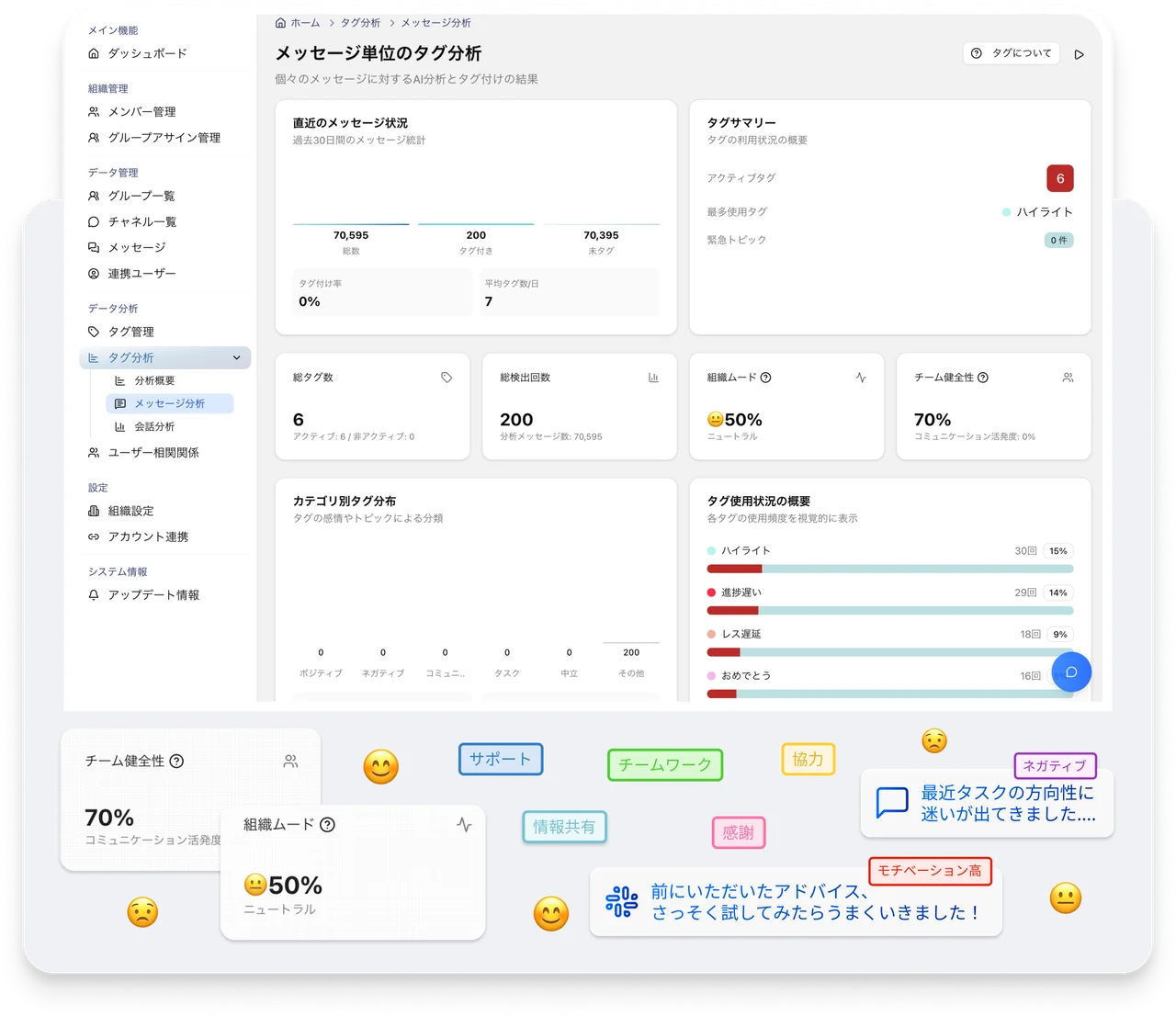
Check the dashboard for areas that need attention, then export the data you need as CSV for your existing reports.

Features 08
Dashboards — Dashboards show collected activity for the platforms, channels, and users you manage.
Usage notes
The display covers conversations already collected in the workspace.
Features 12
CSV export — Export collected conversation data as CSV.
Usage notes
Exported files contain conversation data. Handle them according to your organization's security policy.
06

All 12 key features

Explore SAKIDORI AGENT's key features and the situations where they can help your daily work.

  • Features 01

    Conversations in one place

    In practice: See activity in one place without opening each tool in turn.

  • Features 02

    Message search and filtering

    In practice: Quickly trace the background and context behind a decision.

  • Features 03

    AI conversation analysis

    In practice: Understand team and channel activity without reading every message.

  • Features 04

    Missed-reply detection

    In practice: Spot conversations that need attention before a customer or colleague follows up.

  • Features 05

    Automated AI replies

    In practice: Use it for initial responses outside business hours as well.

  • Features 06

    Daily and weekly reports

    In practice: Start your review with an organized summary instead of raw chat history.

  • Features 07

    Scheduled analysis

    In practice: Keep regular reviews going without someone initiating every run.

  • Features 08

    Dashboards

    In practice: See where attention is needed without compiling the figures manually.

  • Features 09

    Image, audio, and voice message analysis

    In practice: Make information in images and audio easier to review.

  • Features 10

    Custom AI instructions

    In practice: Align tone, priorities, and terminology with your team's standards.

  • Features 11

    Knowledge library

    In practice: Help keep answers consistent when someone else takes over.

  • Features 12

    CSV export

    In practice: Bring the data directly into your existing reporting workflow.

Frequently asked questions

  • Do all features work the same way on every platform?

    No. LINE, Chatwork, Slack, and Discord allow different scopes for reading and sending data. Retrieval, permissions, and available actions therefore differ by platform. Check the latest documentation for the platforms you use.

  • Which features use credits?

    AI features use credits, including automatic replies, conversation analysis, media analysis, and report generation. Collecting conversations and searching messages already collected do not use credits.

  • Can I use AI output directly to make decisions?

    Treat analysis, summaries, and detection as signals that help you review sooner, rather than final judgments. Always check the content before using it for important decisions or sharing it externally.

  • Can I control who sees which conversations?

    Yes. Members are organized by roles and groups so you can control their access. Review these settings whenever responsibilities change.

Next steps

See how it fits the way your team works.

Tell us which platforms you use and where things get missed. We will explain what information can be collected and how to check conversations that may be awaiting a reply.